
Captcha and Cookies
Captcha challenge and cookie verification are additional protection mechanisms used by WEDOS.protection to verify whether incoming traffic comes from real users or automated tools. Instead of immediately blocking suspicious requests, these challenges help filter out bots while allowing legitimate visitors to continue accessing the website.
To manage captcha and cookies in the WGP dashboard, select a domain and then navigate to either Captcha or Cookies under the Domain details.
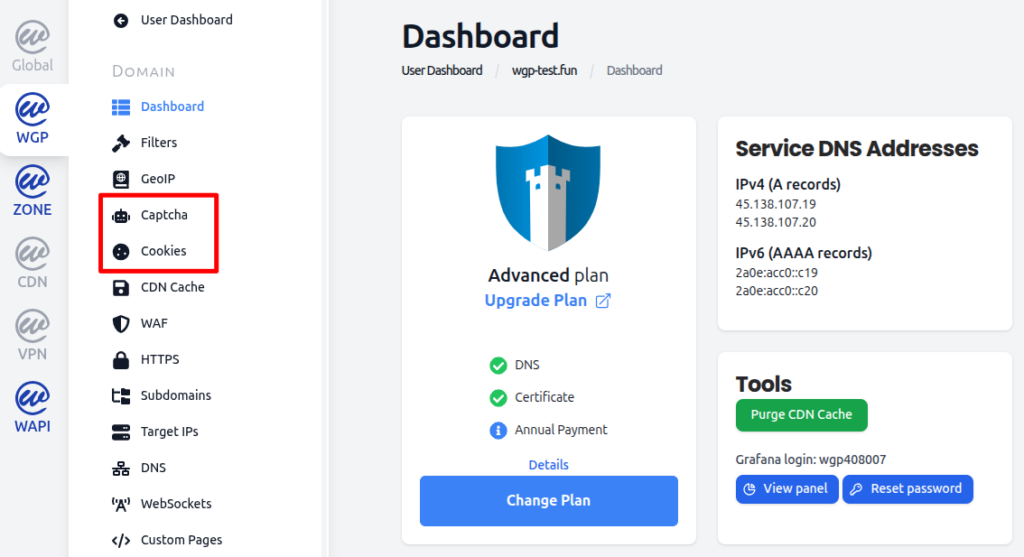
Captcha
Captcha usually protects pages which are likely to be targeted by malicious robots, such as login pages. During an attack, WEDOS.protection may deploy the captcha challenge to other sections of the website, or even across the entire domain. A captcha challenge requires user interaction to verify that the visitor is human.
When a captcha challenge is triggered:
- The visitor is presented with a captcha challenge page which asks the user to type randomly generated characters.
- Access is granted only after successful completion, then captcha is disabled for that user for 12 hours or until they switch browsers or delete cookies.
- There is no hard limit on the number of attempts to solve the captcha, however, automated tools and bots are typically unable to pass this step.
Captcha challenges are used for higher-risk traffic, suspicious behavior patterns, or traffic from regions or sources associated with abuse. While more visible than cookies, captcha is highly effective at stopping automated attacks.
Managing Captcha Settings
With the Start and Advanced subscription plans, captcha works in AI Mode only. By upgrading to the Expert plan or higher, you can adjust the following settings:
- Lowercase Letters. Limits the verification code to lowercase letters only.
- Verification Code Length. Limits the length of the verification code to the number you specify.
- Verification Time. Time it takes for the verification to reset (in minutes).
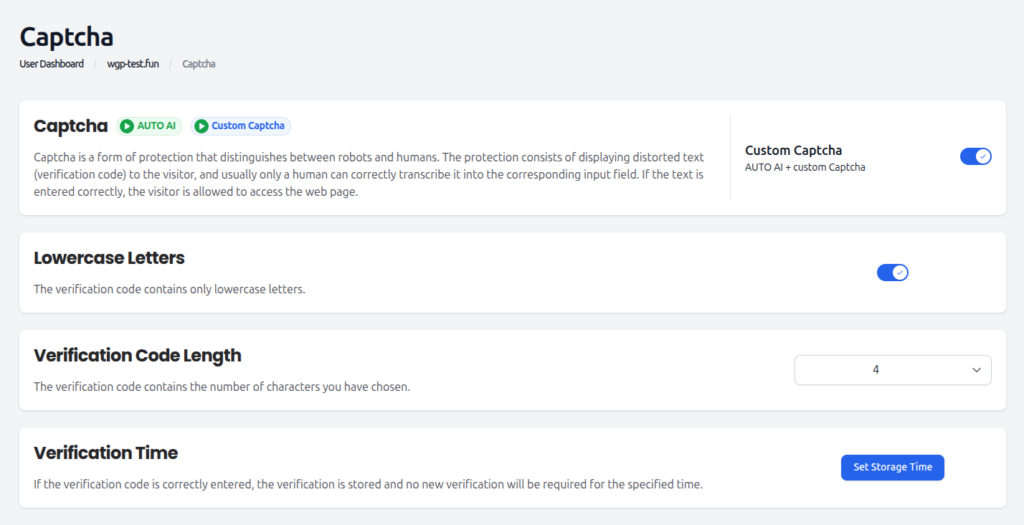
Cookies
Cookie verification may briefly display a page informing the user that a check is in progress, but no interaction is required. Once a user passes the cookie checks, the cookie verification is no longer necessary, unless the cookie is deleted from the user’s system.
When cookie verification is triggered:
- WEDOS.protection sends a small verification cookie to the user.
- If the user correctly stores and returns the cookie, access is allowed.
- Most standard browsers pass this check automatically.
Cookie verification is effective against simple bots, scripts that do not support cookies, and automated tools making repeated requests. Because the process happens in the background, legitimate users typically do not notice the challenge at all.
Managing Cookies Settings
With the Start and Advanced subscription plans, cookies work in AI Mode only. By upgrading to the Expert plan or higher, you can adjust the following settings:
- Number of Verification Attempts. The number of times cookie verification tests whether the visitor is not a robot before storing the information.
- Redirect on Unsuccessful Verification. URL address for redirection when a user fails the cookie verification.
- Cookies Whitelist. Allowed IP addresses that do not require cookie verification.
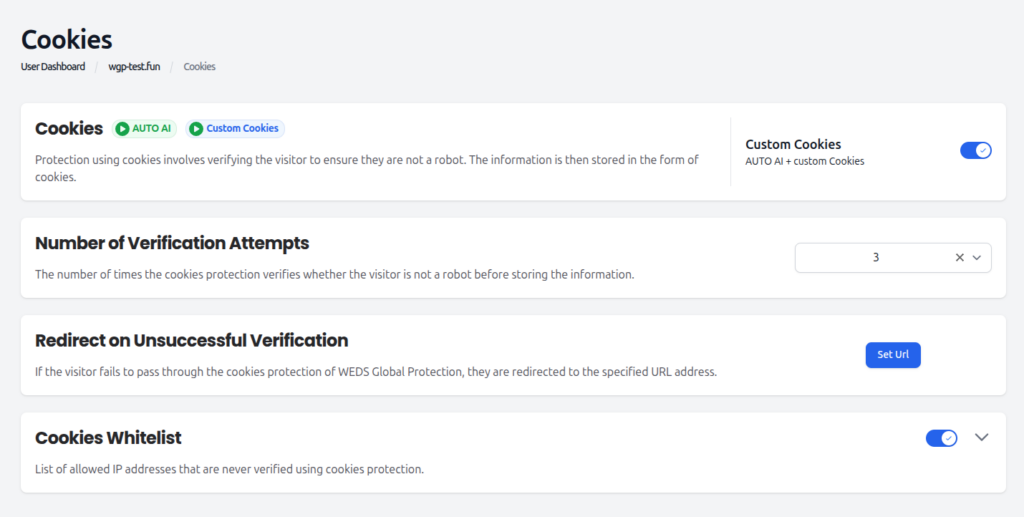
How Challenges Are Applied
By default, captcha and cookies are fully managed by AI Mode. The system continuously analyzes traffic behavior in real time and automatically determines how each request should be handled. Depending on the assessed risk, traffic may be allowed without interruption, verified using cookies, challenged using captcha, or blocked entirely. This adaptive approach enables WEDOS.protection to respond dynamically to changing attack patterns without requiring constant manual intervention.
Users with Expert or higher subscription plans can also apply captcha and cookies selectively. This allows captcha/cookies to be enforced only in specific scenarios, such as for traffic originating from certain countries using GeoIP rules.
Challenges vs. Blocking
Unlike strict blocking, captcha and cookies provide a more flexible and user-friendly way to handle suspicious traffic. Legitimate visitors are still able to access the website after verification, while automated tools and bots are effectively filtered out. This approach helps reduce false positives and preserves the overall user experience, making captcha and cookies especially useful when traffic appears suspicious but cannot be clearly identified as malicious.